Affiliate disclosure: Recover may earn a commission from qualifying purchases made through the Amazon links in this article, at no extra cost to you.
Where to buy
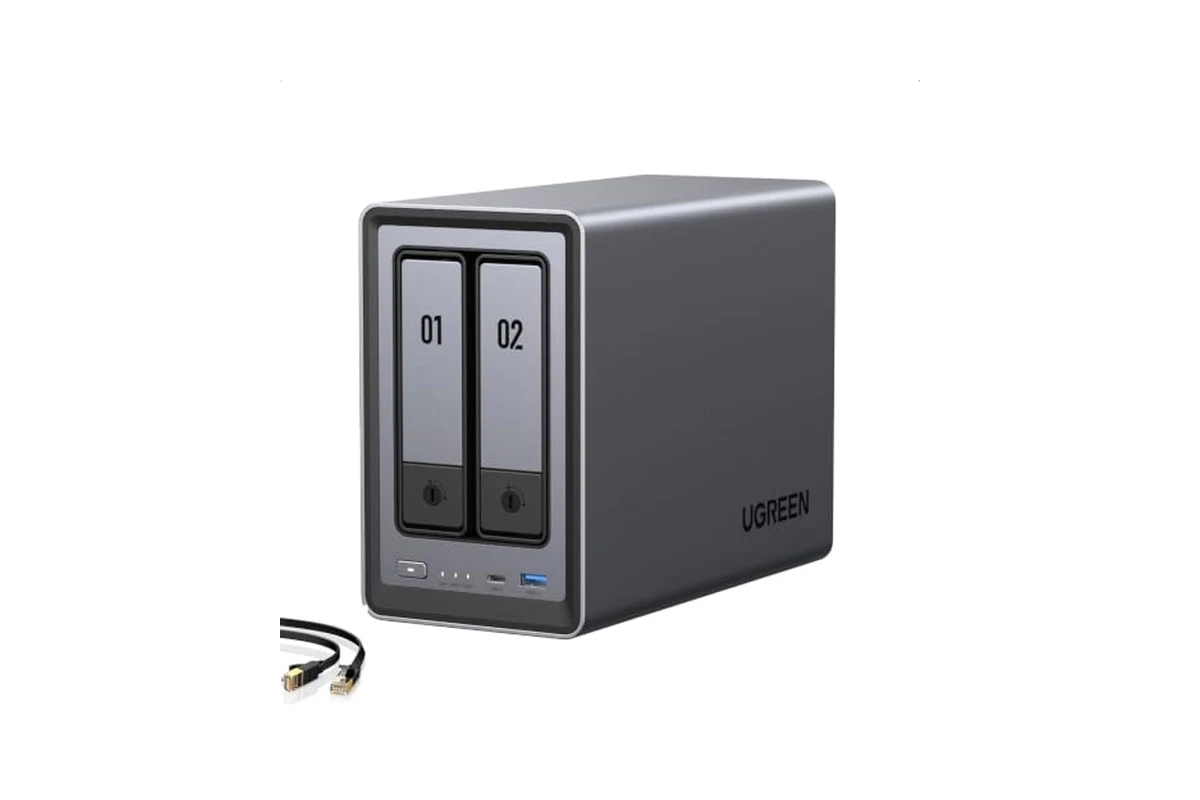
UGREEN NAS DXP2800 2-Bay for Advanced Home Users, Remote Workers & Creators
UGREEN NAS DXP2800: A Serious 2-Bay NAS for Demanding Home Setups
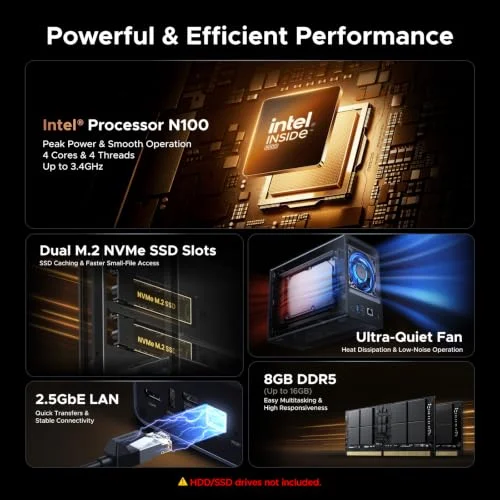
The UGREEN NAS DXP2800 is a two-bay network-attached storage device aimed at people who have outgrown a simple external hard drive or a basic cloud subscription. It is not a budget starter NAS. With an Intel N100 quad-core processor, 8GB of DDR5 RAM, 2.5GbE networking, and dual M.2 NVMe slots, it is positioned for advanced home users, remote workers, and creators who need to store, back up, and serve large files across multiple devices.
If you are shopping for a NAS, the DXP2800 sits in an interesting spot. It offers more processing power and faster networking than many entry-level two-bay units, but it still only has two HDD bays. That means you get a compact footprint and lower power draw than a four-bay tower, but you also face real limits on raw capacity and RAID flexibility. This guide walks through what the DXP2800 actually offers, who it makes sense for, who should look elsewhere, and what to check before you spend money on it.
Key specs
- Intel N100 quad-core CPU
- 8GB DDR5 RAM
- 2.5GbE networking
- Two HDD bays plus two M.2 NVMe SSD slots
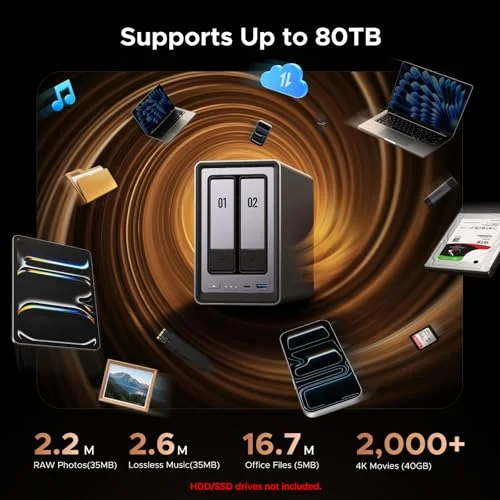
- Up to 80TB total storage (HDDs and SSDs not included)
- Supports Docker, virtual machines, and Plex-compatible media server applications
- AI photo management: people, object, scene, and location recognition, album organization, and duplicate photo detection
- AI-powered home surveillance: Face Recognition, People Detection, and Pet Detection with compatible network cameras
- Cross-device access and backup for Windows, macOS, Android, iOS, web browsers, and compatible smart TVs
- Diskless; drives sold separately
- 2-year warranty and UGREEN support resources
Who the DXP2800 is for
The DXP2800 is for the household or individual who has accumulated a serious digital library and wants it in one place. Think of a family with years of phone photos and 4K home videos scattered across multiple cloud accounts, plus a few laptops that need regular backups. The DXP2800 can centralize all of that, and the AI photo tools can help organize large libraries by recognizing people, objects, scenes, and locations. Duplicate detection is a small feature on paper, but anyone who has merged photo libraries from several phones knows how useful it can be.
Remote workers are another fit. If your work involves large project files, design assets, or video footage, keeping everything on a local NAS and accessing it over the network can be faster and more predictable than syncing everything to a cloud service. The 2.5GbE port is a meaningful upgrade over the 1GbE ports found on many budget NAS units, especially if your router or switch supports 2.5GbE. You will not get the full benefit on a standard gigabit network, but the headroom is there for later.
Creators are a core target here. Photographers shooting RAW and videographers working with 4K footage need fast storage and the ability to run heavier applications. The N100 CPU and 8GB of DDR5 RAM are enough to run Docker containers, lightweight virtual machines, and media server software. The dual M.2 NVMe slots can be used for fast cache or as separate storage pools for active projects, while the HDD bays hold the bulk archive. That split between fast SSD storage and large HDD storage is one of the more practical ways to use a two-bay NAS with NVMe support.
Advanced home users who want to run multiple apps will also find the DXP2800 interesting. Docker and VM support means you can host services like a media server, a home surveillance hub, or other self-hosted tools. The surveillance features, including Face Recognition, People Detection, and Pet Detection, are aimed at people who want local recording instead of a cloud camera subscription. If you already have compatible network cameras, the DXP2800 can act as the central storage and review point.
Who the DXP2800 is not for
This is not the right NAS for someone who wants a plug-and-play box for a single computer backup and nothing else. A simpler two-bay NAS or even a direct-attached external drive will cost less and require less setup. The DXP2800 rewards users who will actually use its apps, containers, and media features.
It is also not ideal for anyone who needs maximum raw capacity in a single unit. Two HDD bays plus two M.2 slots can reach up to 80TB according to the listed specs, but that assumes large drives and a specific configuration. If you already know you need four or more HDD bays for a growing media library, a four-bay NAS will serve you better long term, even if it costs more up front.
Finally, it is not for people who are unwilling to choose and buy drives separately. The DXP2800 is diskless. You must pick compatible HDDs and, if you want, NVMe SSDs. That adds cost and a bit of research before you can use the device at all.
Alternatives to consider
Before committing to the DXP2800, it is worth comparing a few other approaches.
Four-bay NAS from a mainstream brand. If capacity and RAID flexibility matter more than a compact footprint, a four-bay NAS gives you more room to grow. You can start with two drives and add more later, and you have more options for RAID levels that survive multiple drive failures. The trade-off is size, noise, and usually a higher price for the enclosure alone.
DIY NAS built on a small-form-factor PC. If you enjoy tinkering and want maximum control over hardware and software, building your own NAS around a low-power PC can be cheaper or more powerful depending on the parts you choose. You get to pick the CPU, RAM, and case, and you can run the operating system of your choice. The downside is that you are responsible for setup, updates, and troubleshooting, and you may not get the same polished mobile apps and support resources that a brand like UGREEN provides.
Cloud storage plus a local backup drive. For some people, a combination of a cloud subscription and a large external drive is enough. This avoids the upfront cost of a NAS and the need to manage drives and RAID. The trade-offs are ongoing subscription fees, slower access to large files, and less control over your data. If you only need occasional access and do not run apps or media servers, this route can be simpler and cheaper.
What to check before buying
Drive compatibility and sizing. The DXP2800 does not include drives. You will need to choose HDDs and possibly NVMe SSDs. Check UGREEN’s compatibility list if one is available, and consider drive size carefully. Two bays mean you will likely want to mirror your drives for redundancy, which halves your usable capacity. If you put two 8TB drives in a mirror, you get 8TB of usable space, not 16TB. Plan your capacity based on that reality. Also think about drive height and power draw, especially if the NAS will sit in a living space.
Network equipment. The 2.5GbE port is a strong feature, but it only helps if the rest of your network supports it. Many home routers still have gigabit ports. To get the full benefit, you may need a 2.5GbE switch or a router with 2.5GbE ports. If you are not ready to upgrade your network, the DXP2800 will still work at gigabit speeds, but you will not see the faster transfers.
RAM and expansion. The listed 8GB of DDR5 RAM is a solid starting point for Docker, VMs, and media server apps. If you plan to run many containers or a heavy VM, check whether the RAM is upgradeable and what the maximum supported capacity is. More RAM can make a noticeable difference in multi-app use.
Software ecosystem and app support. UGREEN’s NAS software is central to the experience. Before buying, look at what apps are available for backup, photo management, media serving, and surveillance. Check whether the features you need, such as Plex compatibility or Docker, are supported in the current software version. Also consider how the mobile apps work for Android and iOS if you plan to back up phones automatically.
Surveillance camera compatibility. The AI surveillance features sound appealing, but they depend on compatible network cameras. Verify that your cameras will work with the DXP2800 before relying on it as a surveillance hub. If you are starting from scratch, factor in the cost of cameras and possibly licenses if any are required.
Noise and placement. A two-bay NAS with spinning drives will produce some noise and heat. If it will live in a bedroom or office, consider how loud the drives are and whether you can place the unit somewhere with airflow. SSD-only configurations are quieter but more expensive per terabyte.
Warranty and support. UGREEN offers a 2-year warranty and support resources including product guides, troubleshooting, and a Knowledge Center. That is reasonable for this class of device, but compare it to what other brands offer. If you are new to NAS setup, having good documentation and support matters.
When the DXP2800 is the right call
The DXP2800 makes the most sense if you want a compact, capable NAS that can handle more than basic file storage. If you plan to run Docker containers, host a media server, manage a large photo library with AI assistance, or set up local surveillance, the hardware here is well matched to those tasks. The 2.5GbE networking and NVMe slots give you performance headroom that cheaper NAS units often lack.
It is also a good fit if you are comfortable choosing your own drives and want a diskless system so you can match storage to your budget and performance needs. And if you value a smaller physical footprint over maximum bay count, the two-bay design is easier to place and typically quieter than a larger tower.
When to look elsewhere
If you need more than two HDD bays for capacity or RAID flexibility, a four-bay or larger NAS is the better path. If you want the absolute lowest cost for simple backup, a basic two-bay NAS or an external drive will save money. And if you are not interested in running apps, containers, or media services, you are paying for capabilities you may never use.
Finally, if you are not ready to buy drives separately or upgrade your network to take advantage of 2.5GbE, the DXP2800 may be more machine than you need right now. It is a device that rewards a bit of planning.
Bottom line
The UGREEN NAS DXP2800 is a well-specified two-bay NAS for people who want to do more than store files. Its Intel N100 CPU, 8GB DDR5 RAM, 2.5GbE port, and dual NVMe slots put it above entry-level units, and its support for Docker, VMs, Plex-compatible media servers, AI photo management, and local surveillance gives it broad appeal for advanced home users, remote workers, and creators. The main limitations are the two HDD bays and the need to buy drives and possibly network gear separately. If those trade-offs fit your situation, the DXP2800 is worth a close look. Check the current price on Amazon before deciding, since it can change.
Pros and cons
- + Intel N100 quad-core CPU and 8GB DDR5 RAM provide solid performance for Docker, VMs, and media server apps
- + 2.5GbE networking and dual M.2 NVMe slots offer faster transfers and flexible storage options than many two-bay NAS units
- + Supports AI photo management and local surveillance features for centralized home data and camera recording
- – Only two HDD bays limit raw capacity and RAID flexibility compared to four-bay NAS models
- – Diskless design means you must buy HDDs and SSDs separately, adding cost and setup research
- – Full 2.5GbE speed requires compatible network equipment, which many homes do not have
Verdict: The UGREEN DXP2800 is a strong choice for advanced home users and creators who want a compact NAS with real app and media capabilities, but its two-bay limit and diskless setup mean you should plan your storage and network before buying.
Ready to buy
UGREEN NAS DXP2800 2-Bay for Advanced Home Users, Remote Workers & Creators